
Screenshots
About WiFi ARCore
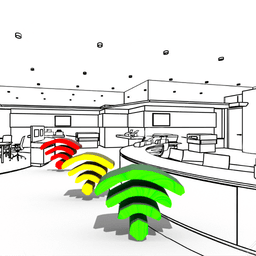
WiFi ARCore transforms how you understand your wireless network by visualizing WiFi and cellular coverage in augmented reality. Point your device around your space to see signal strength, connection quality, and network performance in real time.
Optimize your network placement by identifying the best WiFi access point locations. The app displays current connection speeds and ping latency values, helping you find the lowest-latency spots for smooth online gaming and lag-free browsing. Switch seamlessly between WiFi and 5G/LTE modes to compare performance across different network types.
Discover interfering networks that may be degrading your connection quality. See which neighboring networks overlap with yours and identify the best channel settings to reduce interference. If you have multiple routers, verify that your device switches correctly between them for consistent coverage throughout your home or office.
WiFi ARCore uses Google's ARCore technology to deliver precise, real-world visualization of your network environment. The app makes it easy to troubleshoot dead zones, optimize router placement, and maximize connection speed without technical jargon. Download today and start visualizing your network like never before with WiFi ARCore.
Pros & Cons
Pros
- Visualizes WiFi and cellular signal strength in augmented reality
- Shows real-time connection speeds and ping latency for network optimization
- Identifies interfering networks and suggests optimal channel settings
- Helps locate dead zones and determine ideal router placement
Cons
- Requires ARCore-compatible device with gyroscope and compass sensors
- Heavy AR processing may drain battery during extended use
- Cannot directly modify router settings within the app itself
- Limited utility without access to network admin credentials
Frequently asked questions about WiFi ARCore
Is WiFi ARCore safe to download?
A malware scan report for this version of WiFi ARCore is not available on Unstore yet. Only install files from sources you trust and keep your device's security protection turned on.
What are the system requirements for WiFi ARCore?
WiFi ARCore runs on Android. It requires Android 12L or later. The download size is 9.9 MB.
What is the latest version of WiFi ARCore?
The latest version of WiFi ARCore on Unstore is 3.3.1. It was last updated on May 22, 2026.
Who develops WiFi ARCore?
WiFi ARCore is developed by Wi-Fi Solutions.
Related Apps

HWiNFO
Hardware monitoring for Windows—track CPU temp, GPU load, fan speed, voltage in real time.

TransMac
Read Mac drives and DMG files on Windows. Access APFS/HFS+ storage and create disk images.

Advanced SystemCare Free
System optimization tool: clean, repair, and secure your PC. Remove malware, fix errors, and boost performance.

Display Driver Uninstaller (DDU)
Driver uninstaller for GPU and audio — removes residual files for clean Windows updates

Glary Utilities
PC maintenance and optimization suite — clean, repair, and speed up your Windows computer in one action.

Universal ADB Drivers
ADB drivers for Android: Connect any smartphone to Windows PC without manufacturer software.
Latest Articles

Play a free Poly Bridge-style bridge builder in your browser (no download)
Nov 14, 2026

Play a free Balatro-style poker roguelike in your browser (no download)
Nov 14, 2026

GarageBand for Android or Chromebook? A free music studio in your browser
Nov 14, 2026

FlipaClip for PC or Chromebook? We built a free animation maker that runs in your browser
Nov 14, 2026

Play a free Color Ball Sort Puzzle-style game in your browser (no download)
Oct 6, 2026